
start
start
start

Categories
Recent posts
Search

Originally, Start was developed as a menu bar application that displays the main window as a popup menu when the menu bar icon is clicked. However, it quickly became apparent that this approach also had some serious drawbacks: for example, no menu bar is permanently visible in full-screen applications. For such cases, a fallback was implemented, ...

The main Start window normally always hides when it loses focus. From time to time, however, it may be useful to keep the main window displayed. For example, you can use the DropStack in Start more conveniently or assign entries to the individual tags via drag'n'drop.
To keep the main window permanently displayed, you can pin it to the screen. ...
Start v7.0 offers many new and revised features:
DropStack

Start now offers a DropStack for files and folders. Simply drag files and folders with the mouse into the upper free area. As soon as there are entries in the DropStack, they will ...
The new update improves the stability and performance of Start.
Improvements
- In rare cases, Start could crash when macOS woke up from standby.
- Tag autocompletion was not case-sensitive, which caused problems for tags with similar names.
- When a new drive is detected, the dataset is only updated if there are ...
New features
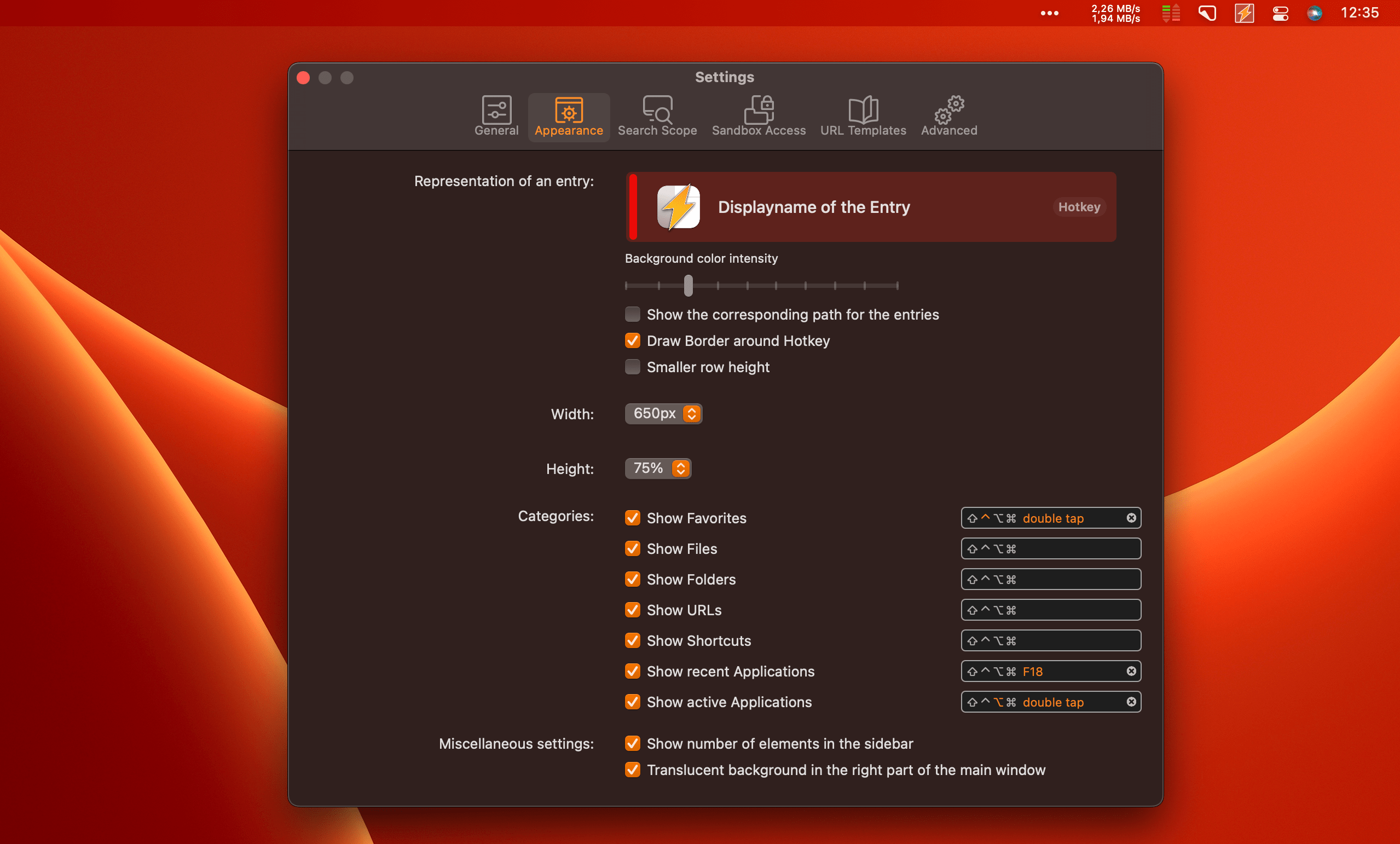
The settings have been revised and now offer a dedicated "Appearance" section with more options to customize Start to your own preferences:
- The width of the main window can be adjusted.
- The height of the ...
New features
More colors

Self-defined colors can now be used in addition to the predefined colors for tags and entries. Make your colors even more flexible than before!
More tag icons

According to Apple's specifications, Start uses Apple's sandbox. As a result, Start's access to numerous areas of the system is restricted and only possible after the user has asked. When using Start, you have probably noticed messages from time to time where Start asks for permission to open a folder or file.